Activation
Activation connects a segment to outbound channels — Meta, Klaviyo, TikTok, and others — so the audience is pushed on each sync run. Configure channels from the segment details page after the segment is created. On each sync, Airflow pushes the audience to your activated channels according to the sync cadence set during segmentation.
Open segment details
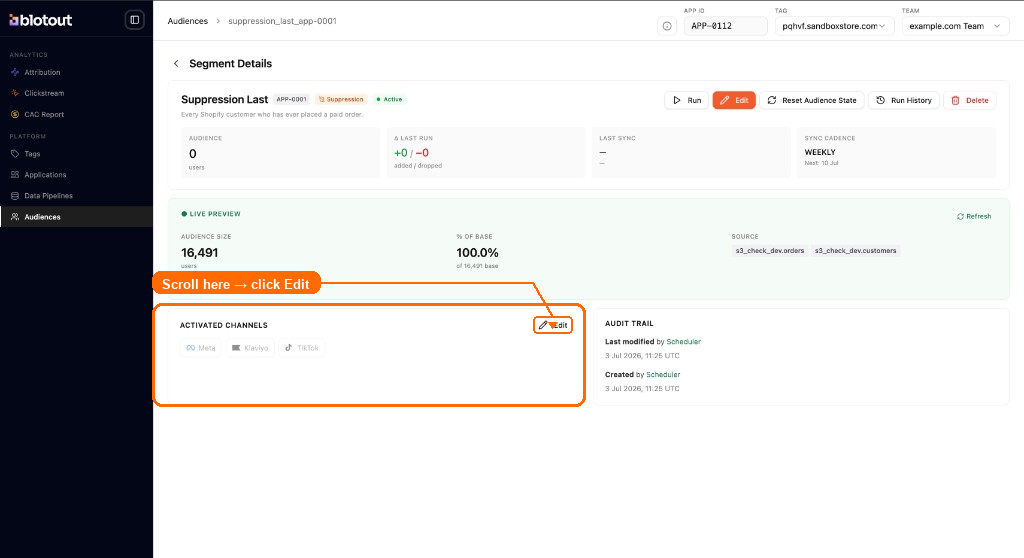
Section titled “Open segment details”From the Audiences table, click a segment to open its Segment Details page. This view shows the segment definition, audience size, sync cadence, live preview, and activated channels. Scroll to the Activated Channels section (highlighted below) and click Edit to configure outbound channels. Use Run at the top to trigger a sync manually, or the orange Edit button to change the segment rules.
Edit activated channels
Section titled “Edit activated channels”The Edit Activated Channels dialog lists all channels connected on EdgeTag for your tag — Meta, Klaviyo, and TikTok.
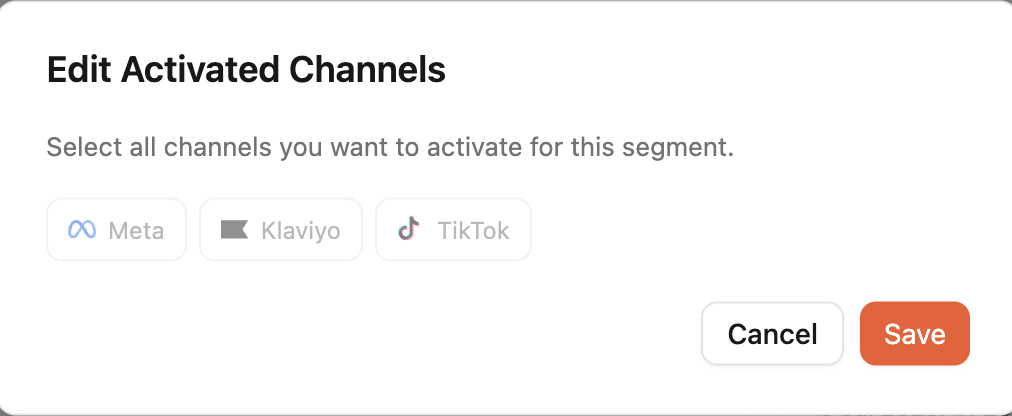
Select the channels you want to activate for this segment using the channel tabs (Meta, Klaviyo, TikTok). For Meta, choose an Audience label that best describes the segment — labels are grouped under Engaged Audiences (for example, Engaged users, Cart abandoners) and Customers (for example, High-value customers, At risk). Each label is sent to Meta’s Custom Audiences API for campaign labelling.
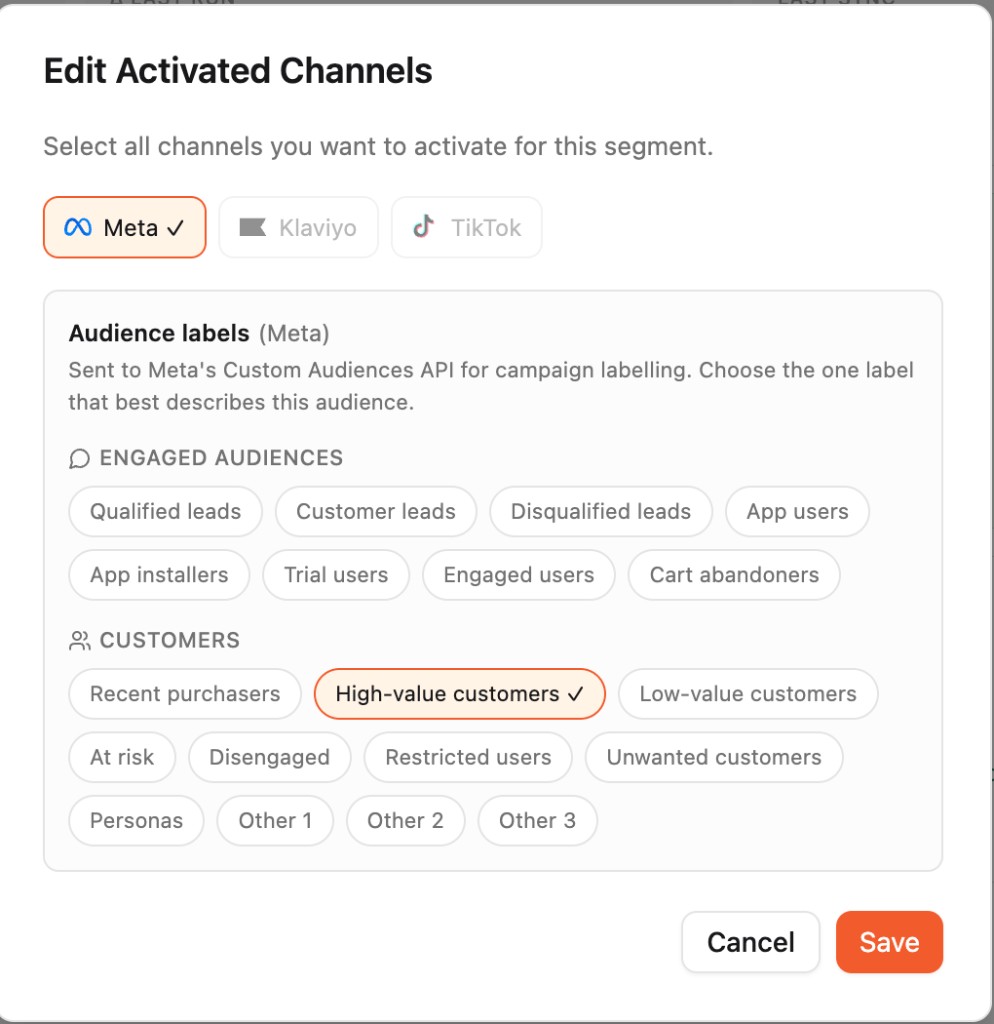
Click Save to apply your channel selections.
Confirm activation
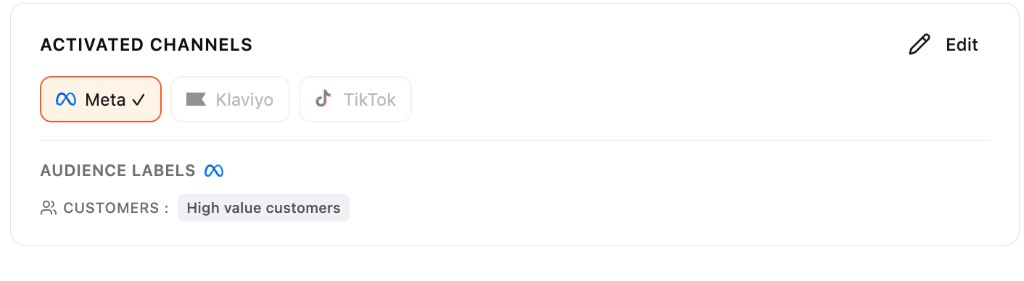
Section titled “Confirm activation”After saving, the Activated Channels section shows the selected channels and their audience labels. On each sync run, Airflow pushes the segment audience to the activated channels according to the sync cadence you configured.